



ATS resume keywords are the skills, tools, job titles, and qualifications from a job posting that you also hold, written the same way on your resume. An applicant tracking system (ATS) stores your application, turns your file into searchable text, and lets recruiters filter candidates by those terms. So, the goal isn’t to “trick” the software. The goal is to make your real experience easy to read by a machine first and by a person second.
To do that, you need three things: keywords that match the posting, a layout the software can read, and a quick check before you submit. This guide covers how an ATS reads a resume (including Workday), how to choose and place keywords, what a safe template looks like, and how far free resume checkers can be trusted. Because the right terms depend on your field, we also link to role-specific guides near the end.
What Are ATS Resume Keywords and How Does an ATS Read Your Resume?
An ATS does three jobs. First, it collects applications. Next, it extracts text from your file and sorts details like job titles, employers, dates, and skills into fields. Finally, it gives recruiters a way to search and review those candidates. A keyword is simply a term that a recruiter, or a rule they set, looks for in that stored data.
Here is the part many articles get wrong. Evidence that these systems silently throw away resumes just because a keyword count is low is thin. Automatic rejection more often comes from knockout questions on the application form, such as work authorization or a required license. Keywords still matter, though, because recruiters search by them. If the term in the posting never appears on your resume, you may not show up in the results.
How Workday reads a resume. Workday is one of the most widely used systems at large employers, and it tries to fill in your application fields from the file you upload. Workday’s own overview of applicant tracking systems describes the software side of this process, and career advisers who test it commonly report that plain section headings such as “Experience,” “Education,” and “Skills” parse best. Date handling is another weak spot. If you mix formats, such as “2021” in one job and “Mar 2019 – Jan 2021” in another, the software can misplace entries.
Always review the pre-filled form after you upload. Because recruiters often search the structured fields, a wrong job title or missing skill in that form can hurt you even when your file looks perfect.
How to Pick and Place ATS Resume Keywords
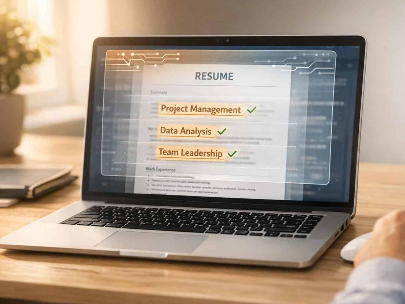
Start with the posting, not a generic list. Copy it into a document and mark every tool, method, qualification, and job title that appears more than once. Then cross out anything you haven’t done. What’s left is your keyword shortlist.
Next, check your wording. If the posting says “customer relationship management” and you wrote “CRM,” include both once. Likewise, match the job title style when it’s truthful, such as “Software Development Engineer” instead of an internal shorthand. Spell out an abbreviation the first time you use it, then use the short form after that.
Then place each keyword where it carries meaning:
- Summary: two or three lines with your title and strongest skills.
- Skills section: tools and methods, grouped under clear labels.
- Experience bullets: the proof. A term inside a sentence about real work is more persuasive to a human reader than the same term in a list.
A small example shows the difference. A list line reading “Excel, reporting” says little, whereas “Built weekly Excel reports for [number] regional managers and flagged late shipments” tells a recruiter what you did. Use real figures only, and skip any number you can’t support.
Several habits work against you:
- Keyword stuffing. Repeating a term or hiding white text can get an application flagged and reads badly to people.
- Claiming skills you lack. Interviewers often ask about anything you list.
- Creative section names. “My Story” may not map to a field, so use standard headings.
- One resume for every job. Reorder and adjust your terms for each posting.
Our role-specific guides show how the vocabulary changes by field. Browse IT keywords, the prompt engineer resume guide, keywords for operations, retail keywords, the logistics coordinator resume, warehouse resume keywords, procurement keywords, and our broader list of supply chain resume keywords.
ATS Resume Template and Formatting Best Practices for 2026

No vendor publishes one official “ATS-friendly” format, and one source after another stresses that systems differ. Even so, a plain, single-column, text-based layout is the safest default, since every system must extract text before it can search or pre-fill anything.
If you’re choosing a free ATS CV template to download, look for these features:
- One column. Sidebars and two-column designs can scramble the reading order.
- Standard headings: Summary, Experience, Education, Skills.
- Real text, not images. Icons, charts, skill bars, and text inside graphics may not be read at all.
- Common fonts and simple bullets. Fancy fonts and symbols can turn into odd characters.
- Consistent dates. Pick one format, such as “Mar 2021 – Jan 2024,” and use it everywhere.
- Contact details in the body. Information in a page header or footer may be skipped.
File type causes more debate than it should. Most employers accept both Word (.docx) and PDF, and the safest advice is to follow the format named on the application page. If both are allowed, use a text-based PDF or a .docx, and avoid scanned or image-only PDFs. Sources disagree about which is more reliable on certain systems, and some report fewer errors with .docx on Workday, so treat that as a tie-breaker rather than a rule. Design-heavy files exported from graphic tools are the most common cause of garbled results.
Do Free ATS Resume Checkers and Resume Scanners Work?
They can help, but only for the right job. A free ATS resume checker or resume scanner compares your resume to a pasted job description and flags formatting issues, missing terms, and sections it can’t read. That’s useful for catching a broken layout or an overlooked keyword.
However, these tools are made by third parties, not by the ATS vendors, and their scores come from their own methods. No checker can promise that a particular employer’s system will read your resume the same way. Consequently, treat the score as a rough guide rather than a pass or fail result.
A better test costs nothing. Copy all the text from your file and paste it into a plain text editor. If the order is jumbled, if words run together, or if parts are missing, a parser may struggle too. After that, upload to a real application and check the pre-filled fields. Be careful with unknown checkers as well, since your resume contains personal data, so read a tool’s privacy terms before you upload.
Workday and Other Enterprise Portals: Special Cases
Large employers often combine a resume upload with a long form that asks you to re-enter your work history. It feels repetitive, but that form is the data recruiters may search. Fill it in carefully, using the same job titles and key skills as your resume, instead of skipping fields because the upload “should” cover it.
Also, expect differences between systems. Some focus on pipeline management and human review, while others run stricter parsing. For that reason, keep your resume plain enough to work on all of them, and keep a text-only version ready to paste into forms that ask for it.
For general, neutral job-search guidance, the U.S. Department of Labor’s CareerOneStop resume resources offer a good starting point.
FAQs
Can you beat the ATS with the right keywords?
You can’t beat it, but you can work with it. Match the posting’s real terms, use a clean layout, and make sure your experience supports each keyword.
How many ATS resume keywords should I use?
There’s no magic number. Use the relevant terms from the posting where they truthfully apply, and avoid repeating the same phrase just to raise a count.
Is a PDF or Word file better for ATS?
Follow the employer’s instructions first. If both are accepted, a text-based PDF or a .docx works for most systems, while scanned or image-only files are risky.
Should I trust a free ATS resume checker score?
Treat it as a rough formatting check. The score comes from the checker’s own method, not from the employer’s system.
Do I need a different resume for each application?
Keep the facts the same, but adjust the order of your skills, your summary, and your keywords for each posting so the most relevant items appear first.
Why do I have to retype my resume into Workday?
The upload tries to fill the fields automatically, but accuracy varies. Recruiters often search those structured fields, so correct entries matter.

4 Comments
Pingback: Cybersecurity Resume Keywords: Skills and Examples
Pingback: Network Engineer Keywords: Skills, Protocols & Tools for Your Resume
Pingback: Technical Writer Resume Keywords: Skills, Tools & Examples
Pingback: UX Design Keywords: Resume Skills, Tools & Methods