


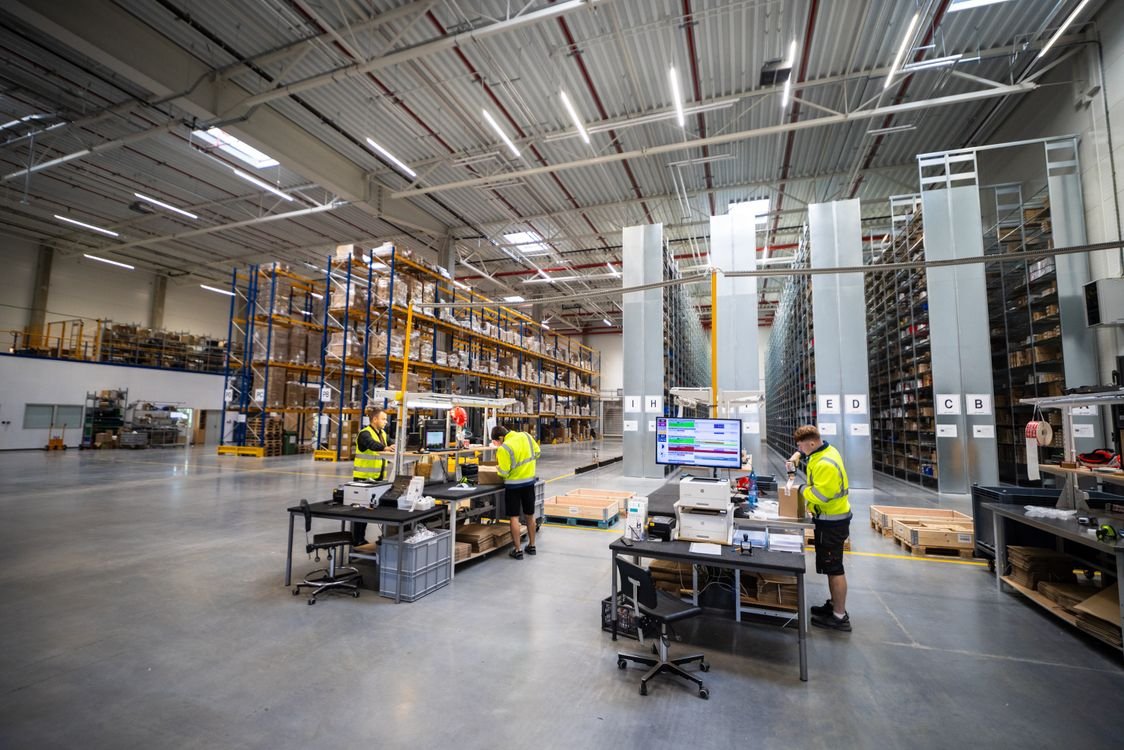
Inventory management tools are the software and hardware a business uses to track what stock it holds, where that stock sits, and when to reorder. They range from a simple spreadsheet to a full inventory management system with barcode scanning, and the right choice depends on how much stock you hold, how many places you hold it, and how fast it moves. This guide explains the types of inventory management tools, the features that matter most, and how to choose the tool that fits your business.
Without a tool of some kind, stock control relies on memory and guesswork. That works until the first stockout, the first duplicate order, or the first time a customer is told an item is available when it is not. A good tool replaces guessing with a record: every item received, sold, moved or counted is logged, so the stock figure on screen matches the stock on the shelf. If you are new to the subject, our inventory management guide covers the principles first.
What Are Inventory Management Tools?
Inventory management tools are any system that records stock movements and turns them into usable information. At minimum, a tool should show current stock levels by item and by location, record receipts and sales, and flag items that are running low. Better tools add forecasting, barcode scanning, multi-location tracking and reports that show which items sell, which sit still, and where money is tied up.
The word “tools” covers both software and the hardware that feeds it. Software holds the records and does the calculations. Hardware such as barcode scanners, label printers and mobile devices captures the data at the shelf, so the record updates at the moment the stock moves rather than at the end of the day. Both parts matter: accurate software fed with late or wrong data is still wrong.
Types of Inventory Management Tools
Businesses rarely use one tool in isolation. Most combine two or three of the following, and the combination changes as the business grows.
Inventory management software
Inventory management software is the central record. It tracks stock by item, location and batch, processes purchase orders and sales, and calculates reorder points. Cloud-based systems are now common: they update in real time, work from any location, and connect to online stores and accounting software. For a closer look at the software side, see our guide to inventory management solutions.
Barcode and RFID scanning
Barcode scanners remove the typing errors that come with manual stock entry. Each item or location carries a barcode, and scanning it records the movement instantly. RFID goes a step further: tags can be read without a direct line of sight, so a whole pallet can be scanned at once. Barcodes suit most small and mid-sized operations; RFID suits high-volume warehouses where scanning speed matters.
Warehouse management systems (WMS)
A warehouse management system controls stock inside the warehouse: where each item is stored, how pickers are routed, and how orders are packed and shipped. A WMS is a specialised tool for the warehouse floor, while inventory management software looks after stock levels across the whole business. The two often work together, with the WMS feeding stock movements into the inventory system. Our warehouse management guide explains the warehouse side in detail.
Spreadsheets
A spreadsheet is the simplest inventory management tool, and it is enough for a very small business with few items and one location. It costs nothing and can be set up in an afternoon. Its limits appear quickly: only one person can safely update it at a time, it does not warn you about low stock on its own, and a single wrong entry can corrupt the whole record. Treat spreadsheets as a starting point, not a destination.
Point-of-sale and ecommerce integrations
For retailers, the point-of-sale system or the online store is often where stock data starts. When these connect to the inventory tool, every sale reduces stock automatically, and stock levels stay in step across the shop, the website and the warehouse. Without the connection, the same sale must be recorded twice, and the two records will eventually disagree.
Forecasting and reporting tools
Forecasting tools use past sales to estimate future demand, which feeds into reorder quantities and safety stock levels. Reporting tools show the numbers that matter: stock value, turnover, dead stock and service levels. These tools do not replace judgement, but they give judgement better material to work with, and they support supply chain planning across the business.

Features That Matter Most
Tool vendors list dozens of features. The ones below are the ones that make the practical difference day to day.
Real-time stock levels come first. If the system only updates overnight, staff will sell stock that is not there. Look for a tool that updates the moment a sale, receipt or transfer is recorded.
Low-stock alerts and reorder points come next. The tool should warn you before an item runs out, using a reorder point based on demand during lead time plus safety stock, not a fixed guess. Automatic purchase order suggestions save time, but the final decision should stay with a person.
Multi-location tracking matters as soon as stock sits in more than one place: two warehouses, a shop and a warehouse, or stock held by a supplier. The tool must show stock by location, and transfers between locations must be recorded as movements, not as sales and purchases.
Barcode scanning support keeps the data honest. A tool that accepts scans from a handheld device or a phone camera will produce fewer errors than one that depends on typed entries.
Reporting should answer three questions quickly: what is my stock worth, what is not selling, and what will run out soon. If a report takes an hour to build, it will not be used.
Integrations decide whether the tool fits your business or fights it. Check that it connects to your accounting software, your sales channels and your suppliers’ systems before you buy, because a tool that stands alone becomes another manual job.
Inventory Management Software vs Spreadsheets
The choice between software and a spreadsheet is really a question of scale and risk. A spreadsheet works when the item count is small, the stock turns slowly, one person manages it, and a mistake costs little. A business selling a few dozen products from one shelf can run on a spreadsheet for years.
Software earns its place when any of those conditions change: hundreds of items, several locations, multiple staff handling stock, fast-moving lines, or customers who expect accurate availability. At that point, the cost of a stockout or an overstock usually exceeds the cost of the software. The transition does not need to be dramatic: many businesses start with a simple cloud system for the core items and keep the spreadsheet for the rest until they are confident.
One warning applies to both. A tool only reflects the data entered into it. Regular cycle counts, where a small sample of items is counted and compared with the system record, are what keep the record honest. Without them, even the best software slowly drifts away from reality, and warehouse automation cannot fix a record that was wrong to begin with.
How to Choose the Right Inventory Management Tool
Start with your own operation, not with a vendor’s feature list. Count your items, your locations and your monthly transactions. Note how stock moves today: who receives it, who picks it, who counts it, and where the delays and errors happen. The tool should fix those specific problems first.
Next, set a budget that includes more than the subscription. Add the cost of barcode labels and scanners, the time to enter opening stock, and training for the people who will use it daily. A tool nobody uses is worse than no tool, because it creates a false sense of control.
Then trial two or three options with real data. Enter a sample of your items, run a receiving, a sale and a count, and see how the tool behaves. Pay attention to how easy the daily tasks are, not the impressive reports. The daily tasks are the ones your team will live with.
Finally, check support and growth. Can the tool handle twice your current volume? Does it work when the internet drops? Is there someone to call when a stock figure looks wrong? The answers matter more than a long feature list, because inventory tools are used every day, and a small daily frustration becomes a large one over a year.

Watch: Inventory Management Tools on Video
The video below walks through stock management in an inventory system, including stock items, locations, lot tracking and reporting.
Frequently Asked Questions About Inventory Management Tools
What is the best inventory management tool?
There is no single best tool. The right one depends on the size of your business, the number of items and locations, and the sales channels you use. A small retailer may do well with a simple cloud system, while a multi-warehouse operation needs a system with a warehouse management module. Judge tools against your own operation, not against a general ranking.
Do small businesses need inventory management software?
A very small business with few items and one location can manage with a spreadsheet, provided someone updates it reliably and counts stock regularly. Once the item count grows, stock sits in more than one place, or more than one person handles stock, software becomes worth the cost because it prevents the stockouts and over-ordering that a spreadsheet misses.
What is the difference between inventory management software and a WMS?
Inventory management software tracks stock levels, orders and sales across the whole business. A warehouse management system controls the physical work inside a warehouse: storage locations, picking routes, packing and shipping. Many businesses use both, with the WMS handling the warehouse floor and the inventory system holding the overall stock record.
Can Excel manage inventory?
Yes, for a small operation. Excel can record stock levels, calculate reorder points and produce simple reports. It struggles with multiple users, real-time updates and barcode scanning, and it will not warn you automatically when stock runs low. Treat it as a starting point and move to dedicated software when the limits start costing you sales.
How much does inventory management software cost?
Pricing varies widely by vendor, features and business size. Some simple cloud tools charge a modest monthly fee, while larger systems with warehouse management and integrations cost considerably more. Many vendors offer a free trial, which is the best way to judge whether the tool fits your operation before you commit.
How do barcode scanners help with inventory management?
Barcode scanners record stock movements quickly and accurately. Scanning an item at receiving, picking or counting updates the record instantly and removes the typing errors that come with manual entry. For most warehouses, scanning is the single change that improves record accuracy the most.
Putting It All Together
Inventory management tools exist to answer three questions at any moment: what do we have, where is it, and when do we need more. Start with the simplest tool that answers those questions reliably for your business today, build the habits of scanning and cycle counting around it, and upgrade when the business outgrows it. The tool is only half the job; the discipline of keeping its records accurate is the other half. Get both right, and the tool quietly supports every order, every purchase and every promise you make to a customer, from procurement through to delivery.
